Refine your choices

Skins
Fits: Various electronics


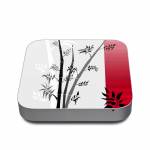
What are Skins?
Skins are premium grade decals that feature stunning, vibrant graphics printed on high quality cast vinyl.
Each Skin covers your devices, provides low profile protection with no bulk and helps protect from scratches. The unique weaved adhesive allows for fast, easy and accurate application, and goo-free removal.
Wrap your devices and make it uniquely yours.
Popular
New
Similar categories
Reviews
Showing 4 star reviews only. Show all 1324 reviews
/5Adds a nice lookS. McGloin, United States, 9 February 2020
Nice skins for the Tello drone. Easy enough to install. Would purchase again. I do think it would be helpful for a lot of people if there was a placement diagram. Took me a minute to realize that the mystery skins were for the end of the battery.


/5Great quality fits perfectlyP. Arapas, United States, 18 August 2019

/5Was not happy at first however the customer support, specifically Michael has been phenomenal from the beginning. Definitely owned the issue from start to end even though the problem didn’t originate with them.A. Charles, United States, 27 December 2018
/5I Love it. It Looks great. I will definitely come back and buy something from here. And I would definitely recommend iStyles to someone. Great Job iStlyes. ?????????T. Ross, United States, 30 August 2018

/5Very Happy with my new skin for my Dell XPS15. The only detail that was overlooked was the cutout for the fingerprint reader. I had to use masking tape and a razor blade to cut it out. Even being careful and delicate I still managed to put a tiny scratch on on finger print reader. Fortunately the scratch is not very obvious and doesn’t impact functionality but my cutout doesn’t look like a precision cutout. Otherwise it goes on easily and looks great.M. Polk, United States, 13 March 2018iStyles responded:
Thank you for the review. The Coffee Break Dell XPS 15 9560 Skin does not indeed come with the fingerprint scanner cutout as this Skin set is for the model "without the fingerprint scanner".
Skins can however indeed be modified easily with a penknife. We'll however suggest measuring out precisely where to cut before making the cut on the Skin when the Skin is still on the backing card (before applying the Skin) but we're glad to hear that you managed to do it after the Skin application with your laptop relatively unharmed.
We're happy to hear that you like the Skin!
/5excellent product but a little expensiveD. Parrott, United Kingdom, 10 February 2018
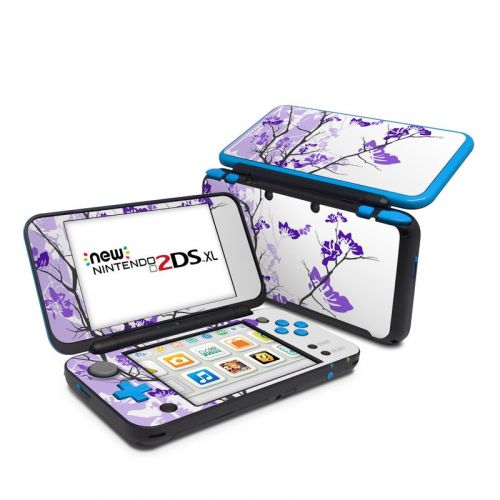
/5Quickly and efficiently delivered to the UK. Stickers are tough and of good quality. Nicely covers up my airpods so I look a little less odd. I wish Apple made these in black!W. Wong, United Kingdom, 22 October 2017
/5received my order about 30 daysP. Mavrenski, China, 31 December 2016
I just realised the item arrive in Australia....
PeteriStyles responded:
We're sorry to hear that your package took so long to arrive.
The Skins are made in the USA and ship directly from the production facility. A delivery to an international address usually happens within 1 to 3 weeks but Australia Post in particular is overwhelmed at this time of the year as they are taking a very long time to route packages to some of our Australian customers. Your package was shipped on 6 December and took about 3 1/2 weeks to arrive. The huge volume of mails in their network and the year end holidays resulted in the delay in routing.
We wish we can make these deliveries happen more quickly but they're dependent on the postal services. We're glad that the package arrived safely in the end and we hope you like the World of Soap DJI Phantom 3 Standard Skin.

/5I was satified with my purchase and the price I paid, but was not happy when charged additional fee. I should have been aware of this!S. Propst, United States, 18 October 2016iStyles responded:
Thank you for the review. We're glad that you like the Skins.
We're sorry to hear that your bank levied a transaction charge on your account. Most customers do not incur such extra charges, especially so when a credit card is used for payment, but your bank may have specific restrictions on your Mastercard debit card and probably bills you a small transaction charge every time you use the card online.
How much did they charge you? We just sent you an email about this - let us know via an email reply and we'll cover this charge for you by refunding that amount on your payment.
/5I love the skins. However I am disappointed that there is no skin for the base of the Macbook Air. I messed up the skin for the keyboard and did not want to spoil the skin by pulling it out again. Wish it is easier to center it right and apply without bubbles.L. Liu, Hong Kong SAR, 16 May 2016iStyles responded:
Thank you for the review. We're glad that you like the MacBook Air 13-inch Skins but sorry to hear that you accidentally messed up the inner Skin for one of them.
Skin Application
The MacBook inner Skins are precision cut to cover the area around the keyboard - the complexity and large size of this surface does make Skin alignment a little more tricky but the final effect when it's done properly is well worth the effort. What we generally do during Skin application is to first align the Skin to the major physical cutouts, and in this case, that will be the trackpad area. Peel the whole inner Skin off and start with the bottom half; hold the Skin at both ends of the wrist rest area and gently position until it aligns perfectly to the trackpad. One trick will be to keep the top half (the thin stripes that go beside the keyboard) folded back over the bottom half such that the stripes do not get stuck on your MacBook when you're positioning the bottom half. Once you've aligned the trackpad, everything else will fall in place with a little guidance.
Do not press the Skin down until you are happy with the alignment - this makes it easier to reposition the Skin if the first alignment attempts fail.
When you're happy with the alignment, start pressing the Skin down firmly from the inside out so that bubbles will not get caught. Even if bubbles do get caught, they can be pressed out with a finger as the Skin comes with a special weaved adhesive that allows for air pockets to be "massaged" out.
Replacement Skin
We can get another replacement inner Skin made for you to give the Skin application another go at no charge and you just have to cover the shipping cost to get this new package to you.
If you would like to go for this replacement, please send us an email at [email protected] to let us know which MacBook Air 13-inch Skin was spoil (you purchased two) and we'll set up the replacement order for you. Or if you would like to place an order for something else (matching cases for your phone? We also sent a discount via email), let us know the order number and we'll add the replacement inner Skin to it.
Bottom Skin
The Outer/Inner Combo MacBook Air 13" Skin sets will cover the lid and area around the keyboard on your MacBook but they will not include a bottom Skin. You can technically purchase another "Outer lid" Skin and make cuts manually for the rubber feet on the bottom of your MacBook but we will not recommend doing so. The unibody construction of the MacBook acts as a heat sink and helps to dissipate heat during operation. If the bottom area is covered, the MacBook will not be able to "breath" as well, resulting in higher operating temperatures that can cause reduced performance and shorten electronics lifespan.
We recommend using the Skin for styling and scratch protection - when you need to transport the MacBook, put it in a padded sleeve (like the one you purchased too) or bag. The bottom of the MacBook does not require a Skin as it's usually facing a surface (eg, on a table), it does not come into direct contact with this surface (will not get scratched) because of the rubber feet on the bottom and people rarely see this surface as it's either on the table or packed in a bag.
Customize
