Refine your choices

Laptop Skins


What are Laptop Skins?
Style your Laptop - iStyles it yours! Skins are premium grade decals that feature stunning, vibrant graphics printed on high quality cast vinyl.
Each Skin covers your laptop, provides low profile protection with no bulk and helps protect from scratches. The unique weaved adhesive allows for fast, easy and accurate application, and goo-free removal.
Wrap your laptop and make it uniquely yours.
Popular
New
Similar categories
Reviews
Showing 4 star reviews only. Show all 248 reviews
Displaying 1 to 10 (of 16 reviews) »
iStyles/5We had a different size computer and did not need this skin after all. I would like to return it.G. Wright, United States, 19 January 2023iStyles responded:
We're sorry to hear that the Skin was not the right size for your laptop. The product that you purchased will only fit the Samsung Chromebook 2 11.6-inch XE500C12-K01US model. This may fit Chromebook 2 models that are physically identical but it will not fit other models that are physically different.
You can custom size a laptop Skin to fit by selecting "Custom Sized", then entering the width and depth that you want the Skin cut to, based on the dimensions of your laptop lid.
We'll send you return instructions via email shortly, and a discount code for your replacement Skin set. If you do not receive this email, please check the sub-folders within your email account or contact us at [email protected]

iStyles/5holes didnt match up, dimensions are offM. Gotoc, Canada, 12 June 2022iStyles responded:
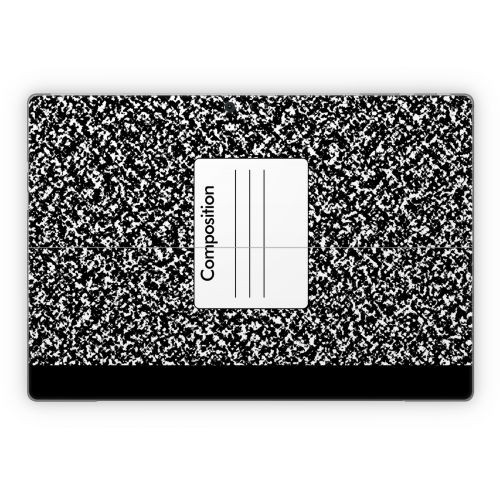
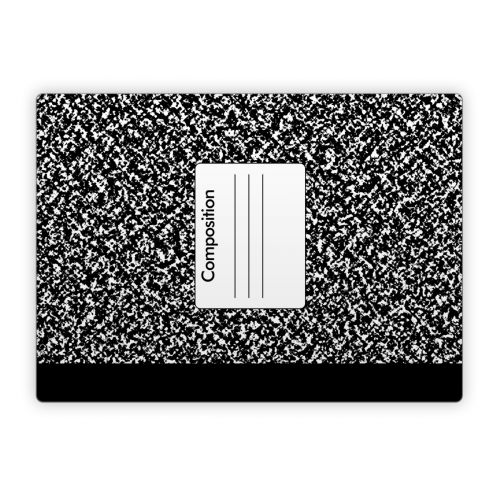
We're sorry to hear that the Composition Notebook Microsoft Surface Pro 5, Pro 4 Skin set did not fit. Please reply to the email that we just sent to you with photos to show what went wrong so that we can help!
This set will only fit the Microsoft Surface Pro (5th Gen, released in 2017) and Surface Pro 4 (released in 2015). If you're using one of these models, the Skin set will fit perfectly.
Is yours a Surface Pro 4, Pro 5, or are you using a different Microsoft Surface device, such as the Surface Pro 6 or Pro 7?
iStyles/5Pro:L. Lim, Singapore, 28 January 2021
- good quality
- matching wallpaper
Con:
- no way to get rid of the strong vinyl sticker smell [even after more than 1 yr's usage]
- shld have a transfer layer for tablet's front border sticker for easier & better applicationiStyles responded:
Thank you for the review and for shopping at iStyles again. We're happy to hear that you like the Skins and came back for a repeat purchase.
There can indeed be a slight smell from the Skin when it's first removed from the envelope because these are freshly made at the production facility and packed straight after production. The smell, if any, goes away fairly quickly (within hours). It's not possible that the Skin is still off-gassing a year after. I guess that vinyl may have a smell up close if you are sensitive to it, but I just sniffed a couple of old Skins and could not detect anything.
Thank you for the suggestion regarding the tablet front Skin but we've not found any tool that will make the application of the front tablet frame Skin easier than it currently is. Applying the Skin is just a matter of aligning and pasting. Start by aligning the important elements such as the the camera/sensor holes and buttons first, then align the rest. Our Skins come with a special adhesive that allows for repositioning during the application process. If you are not happy with the alignment, just gently peel off and realign. Press down all around on the Skin only after you're happy with the alignment.
Thank you once again for the review and the new purchase!
iStyles/5I purchased both a decal and a neoprene sleeve for the Microsoft Surface Laptop 3 13.5" and have minimal issues with both. The decal for the lid and the wrist rest both fit really well, I'm super happy about it, I love the quality. The bottom decal was the same size as the lid decal, but the edges of the laptop are tapered in, meaning there's no way it fits. I had to cut around the holes for the feet to apply it, and the decal hangs off on both the right and left sides, just enough to be annoying. I got the composition notebook decal, and my personal feedback would be to remove the white box with "composition" from the bottom decal to look more like an actual composition notebook. The neoprene case looks really nice, but is made for a laptop that's taller with the lid closed than this one. The case is not snug, there's a lot of extra space, which wasn't really what I was looking for, but it turns out there's no real options for a customizable neoprene sleeve that fits snug for this laptop that I can find right now online, so this will do.A. Padres, United States, 26 September 2020
iStyles/5The skin i ordered was a little bigger than my laptop but not by much I made it work. It was delivered in a timely manner. I'm overall satisfied with the service and the skin.M. Lynn, United States, 25 September 2020iStyles responded:
Thank you for the review. The Skin that you ordered was designed specifically for the HP Stream 11-ah100 4FA43UA-ABA and will also fit other HP Stream 11 models that are physically identical. We're guessing that your HP Stream 11 model is a little different physically but we're happy to hear that you managed to make it work and that you like the service and Skin.
iStyles/5Great quality fits perfectlyP. Arapas, United States, 18 August 2019

iStyles/5I Love it. It Looks great. I will definitely come back and buy something from here. And I would definitely recommend iStyles to someone. Great Job iStlyes. ?????????T. Ross, United States, 30 August 2018

iStyles/5Very Happy with my new skin for my Dell XPS15. The only detail that was overlooked was the cutout for the fingerprint reader. I had to use masking tape and a razor blade to cut it out. Even being careful and delicate I still managed to put a tiny scratch on on finger print reader. Fortunately the scratch is not very obvious and doesn’t impact functionality but my cutout doesn’t look like a precision cutout. Otherwise it goes on easily and looks great.M. Polk, United States, 13 March 2018iStyles responded:
Thank you for the review. The Coffee Break Dell XPS 15 9560 Skin does not indeed come with the fingerprint scanner cutout as this Skin set is for the model "without the fingerprint scanner".
Skins can however indeed be modified easily with a penknife. We'll however suggest measuring out precisely where to cut before making the cut on the Skin when the Skin is still on the backing card (before applying the Skin) but we're glad to hear that you managed to do it after the Skin application with your laptop relatively unharmed.
We're happy to hear that you like the Skin!
iStyles/5I love the skins. However I am disappointed that there is no skin for the base of the Macbook Air. I messed up the skin for the keyboard and did not want to spoil the skin by pulling it out again. Wish it is easier to center it right and apply without bubbles.L. Liu, Hong Kong SAR, 16 May 2016iStyles responded:
Thank you for the review. We're glad that you like the MacBook Air 13-inch Skins but sorry to hear that you accidentally messed up the inner Skin for one of them.
Skin Application
The MacBook inner Skins are precision cut to cover the area around the keyboard - the complexity and large size of this surface does make Skin alignment a little more tricky but the final effect when it's done properly is well worth the effort. What we generally do during Skin application is to first align the Skin to the major physical cutouts, and in this case, that will be the trackpad area. Peel the whole inner Skin off and start with the bottom half; hold the Skin at both ends of the wrist rest area and gently position until it aligns perfectly to the trackpad. One trick will be to keep the top half (the thin stripes that go beside the keyboard) folded back over the bottom half such that the stripes do not get stuck on your MacBook when you're positioning the bottom half. Once you've aligned the trackpad, everything else will fall in place with a little guidance.
Do not press the Skin down until you are happy with the alignment - this makes it easier to reposition the Skin if the first alignment attempts fail.
When you're happy with the alignment, start pressing the Skin down firmly from the inside out so that bubbles will not get caught. Even if bubbles do get caught, they can be pressed out with a finger as the Skin comes with a special weaved adhesive that allows for air pockets to be "massaged" out.
Replacement Skin
We can get another replacement inner Skin made for you to give the Skin application another go at no charge and you just have to cover the shipping cost to get this new package to you.
If you would like to go for this replacement, please send us an email at [email protected] to let us know which MacBook Air 13-inch Skin was spoil (you purchased two) and we'll set up the replacement order for you. Or if you would like to place an order for something else (matching cases for your phone? We also sent a discount via email), let us know the order number and we'll add the replacement inner Skin to it.
Bottom Skin
The Outer/Inner Combo MacBook Air 13" Skin sets will cover the lid and area around the keyboard on your MacBook but they will not include a bottom Skin. You can technically purchase another "Outer lid" Skin and make cuts manually for the rubber feet on the bottom of your MacBook but we will not recommend doing so. The unibody construction of the MacBook acts as a heat sink and helps to dissipate heat during operation. If the bottom area is covered, the MacBook will not be able to "breath" as well, resulting in higher operating temperatures that can cause reduced performance and shorten electronics lifespan.
We recommend using the Skin for styling and scratch protection - when you need to transport the MacBook, put it in a padded sleeve (like the one you purchased too) or bag. The bottom of the MacBook does not require a Skin as it's usually facing a surface (eg, on a table), it does not come into direct contact with this surface (will not get scratched) because of the rubber feet on the bottom and people rarely see this surface as it's either on the table or packed in a bag.
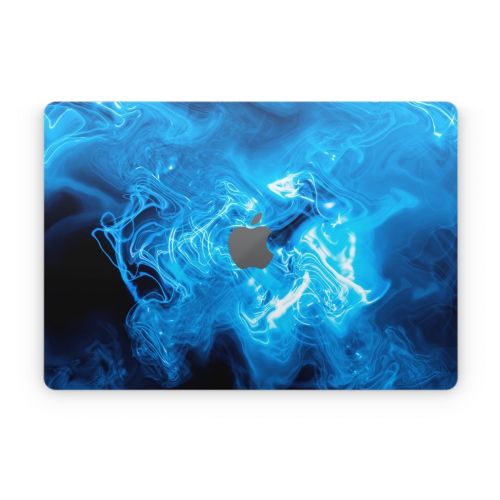
iStyles/5The product is awesome. People have no problem understanding how much I LOVE leopard print. If someone tries to take it, there will be no problem identifying my computer. The iStyles leopard print has glammed it up like no other!J. Jeffers, United States, 30 January 2016
Customize
