Refine your choices

Designs
Fits: Various electronics



















Reviews
Showing 1 star reviews only. Show all 1041 reviews
/510eur of cystomsT. richardeau , France, 8 January 2022iStyles responded:
We're sorry to hear about the 10 euros fee charged by La Poste and the customs office. This fee was inflated because it was collected by the postman when he delivered the package. If you make payment for such imports online before your postman delivers the package, your fee will be significantly less (about 3 euros).
Products that are sold on our web store do not include EU VAT; we only bill for the cost of the product and the shipping cost. VAT is for the "consumption of goods and services within a country" and is levied by the customs office of the country when the package is imported.
The VAT for your order is about one euro, and if you pay online, La Poste adds a 2 euros "administrative" fee, making the total charge 3 euros. If you pay the postman only at the time of delivery, they add a lot more administrative fee and you end up with a 8 to 10 euro charge.
When importing a package, it is important to check at https://www.laposte.fr/outils/suivre-vos-envois to see when the French customs has processed the package, then complete payment for the charge at https://www.laposte.fr/frais-droits-douane before they deliver the package so as to avoid their inflated administrative charges.
/5Horrible plastic texture had no idea this was what I was spending my money on !!!!!!!T. Walker, United States, 10 December 2021
My daughter made it for me in 60 seconds on her Laptop!!!!!! I’m definitely no putting this sticker on my $300 pair of Beats By DreiStyles responded:
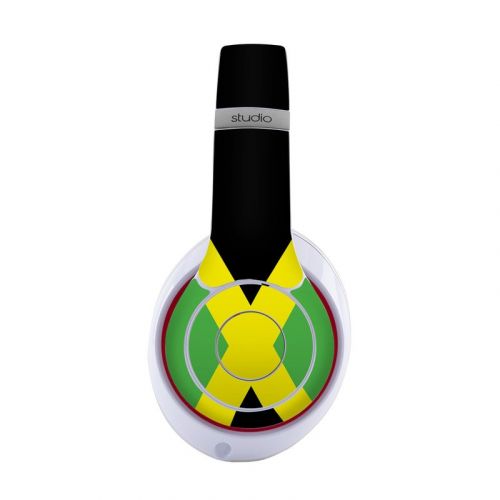
We're sorry to hear that you were expecting something else. The product that you purchased is an adhesive based protector that styles your Beats Studio3 Wireless.
It feels "plastic" on the surface because the laminate applied over the artwork (for added protection) is plastic. The Beats Studio3 Wireless is made of plastic too.
Fans of certain branding may be used to the premium pricing associated with accessories, and a decently priced $10 "sticker" may appear unworthy of this $300 headset, but it's not really possible to make a more premium Skin. These Skins are made from high quality cast vinyl, premium 3M adhesive (that will not damage the surface), printed with UV resistant ink and protected with your choice of matte or gloss laminate. We can charge more if it makes anyone feel better. ;)
This Skin will not only style your headset, it'll also help protect the surfaces covered from scratches and other wear/tear of daily use.
If you do not plan to use the Skin, you can send it back to us for a refund. Please send us an email at [email protected] and we'll send you return instructions.
/5Not impressed !Z. Javaid, United States, 4 November 2021
Ordered EXO Heartbeat DJI Air 2S Skin - color was dull and looked cheaply made. Ruined the looks of the drone
Uneven gaps in some areas even after applying it correctly by following the instructions.iStyles responded:
We're sorry to hear that you did not like the EXO Heartbeat DJI Air 2S Skin.
EXO Heartbeat is a dark mesh like design with a slight tint of red. Perhaps, one of the other more vibrant designs may be more to your liking?
Each Skin piece is to be applied such that it's centered on the surface that it goes on. The gap size between the Skin and the edge should be the same all around the Skin. If you're sticking each piece flush to one edge, this will leave a huge gap at the other end of the Skin piece. If this was what you did, try gently peeling off each piece, reapply it such that it's centered and you'll find that the result looks much better.

/5When the advert said a skin I was expecting a skin type case. What I got was a couple of stickers.J. Cartlidge, United Kingdom, 4 October 2021
Not happyiStyles responded:
We're sorry to hear that the product was not what you thought it was. The product that you purchased is a Skin, which is an adhesive based protector as described on the product page.
"Skins are premium quality decals that feature stunning, high-resolution graphics printed on premium grade adhesive-backed cast vinyl. Skins provide low profile protection with no bulk and protects your Apple iPod touch 1st Generation from scratches. The unique weaved adhesive allows for fast, easy and accurate application, and goo-free removal."
Cases are available for other devices in another category . Cases are however not available for the iPod touch 1st Gen.
Give the Skin a try, we think that you'll like it. The Skin can also be used with a "case" if you need more coverage. Just apply the Skin first, then put on a clear plastic or translucent silicone case over it and you'll be able to see the Skin design through the case. The case has to be purchased from elsewhere.
Alternatively, you can return the Skin to us for a refund if you do not plan to use it. We've sent you an email with information on how you can return the product.
/5Pretty much useless decals. While the looks are there, the adhesive is far from being sufficient to keep them in place. After only couple of days the decals are coming loose even from a flat surface. And no, it's not due to not having clean surface or anything. I can't recommend buying these.T. Backman, Finland, 28 August 2021iStyles responded:
We're sorry to hear about what happened to your Skin. These Skins will stick and generally outlast the lifespan of the device but this depends on the environmental factors that they're subjected to and how well they were applied.
Our Skins come with a balanced adhesive that allows for easy application and goo-free removal. It is important that the Skin stays down and it is just as important that the Skin can be subsequently removed without damage to the device. For example, if the Skin was "super glued" to the device, it will stick well no matter the condition of the surface but it will not be removable.
The Skin adhesive does stick properly, as evident by the other positive reviews, but it is important to clean the device surface properly prior to Skin application. Drones in particular have to be cleaned well prior to Skin application because the surface can be dusty and oily, and this will adversely affect the ability of the Skin to stick properly.
Likewise, environmental factors, such as constant abrasion against the edge of the Skin, which is a similar action to peeling the Skin, and drone crashes, will inevitably result in the edge lifting. In addition, incorrect Skin positioning such that an edge overhangs the device edge will make these edges more vulnerable to peeling or damage. It's also possible the Skin adhesive might have been damaged during the Skin application process if you reapplied the Skin (peeling off and sticking again) too many times when positioning a piece.
We can get another Cybernetik DJI Mavic Air 2 Skin made for you so that you can give this another go, and you just have to cover the ship cost to get the new package to you. If you would like to go for this replacement, please reply to the email that we just sent you and we'll set up the replacement order for you.

/5Hi my name is Zoltan Vincze from Hungary, Budapest. I buy dji mavic pro skin from your shop ( v08 starfighter). Its verry beautiful, but 2 days later the skin get off the drone body. Its not right. I followed the instructions in the video.V. Zoltan, Hungary, 13 June 2021iStyles responded:
We're sorry to hear about what happened to your Skin. These Skins will stick and generally outlast the lifespan of the device but this depends on the environmental factors that they're subjected to and how well they were applied.
Our Skins come with a balanced adhesive that allows for easy application and goo-free removal. It is important that the Skin stays down and it is just as important that the Skin can be subsequently removed without damage to the device. For example, if the Skin was "super glued" to the device, it will stick well no matter the condition of the surface but it will not be removable.
The Skin adhesive will stick and generally outlasts the lifespan of the device, but it is important to clean the device surface properly prior to Skin application. Drones in particular have to be cleaned well prior to Skin application because the surface can be both dirty and oily, and this will adversely affect the ability of the Skin to stick properly.
Likewise, environmental factors, such as constant abrasion against the edge of the Skin, will inevitably result in the edge lifting. In addition, incorrect Skin positioning or Skin sizing such that an edge overhangs the device edge will make these edges more vulnerable to peeling or damage. It's also possible the Skin adhesive might have been damaged during the Skin application process if you reapplied the Skin (peeling off and sticking again) too many times when positioning a piece.
We've sent you a replacement so that you can give this another go.


/5Hat was to small it was poorly doneR. Bruno, United States, 23 April 2021iStyles responded:
We're sorry to hear about your hat but you had us mixed up with another company. We do not sell hats.
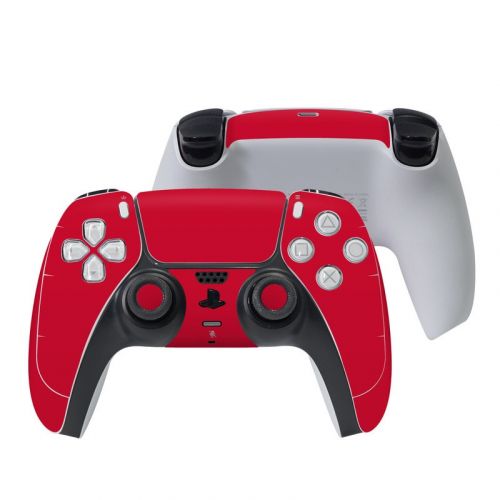
We do hope you like the PlayStation 5 Controller Skin that you purchased from us though!
/5I finally got round installing these due to family issue/Xmas etc they were still in original envelope till today.J. Hume, United Kingdom, 30 January 2021
They do not even come near to hiding the bezel on the Google Home Hub (not Max)
No matter how I place it especially as I need to match up the 3 little holes at top the white/grey bezel is visible on all sides inner and outer edges as the skin is far too narrow to cover it.
I had to remove it and reapply the Google factory temporary cover again as I will not fit the proper screen protectors I bought at the same time till I have a skin that fits and does what it was intended to do and that was to make the bezel appear black.iStyles responded:
These tiny spacing between the Skin edge and the edge of the surface is correct and as shown on the product image and additional product photos.
These tiny spacing are important to allow for easy application and to ensure the longevity of the Skin. If the Skin was cut without such a give, most people will not be able to apply it correctly and end up with overhanging Skin edges at some parts. In addition, Skin edges that stop precisely at the device edge tend to lift more easily over time and because dust/lint/hair magnets.
The Skin was not designed to completely hide the original color of your device - it is to be applied such that the spacing is the same at all edges. The Skin acts as and looks like a "frame" on this device.
/5I don’t even know what I both, what’s is I was expecting kind of case and what I saw I can’t even explain waste of my money I don’t recommendAdolfo, United States, 17 December 2020iStyles responded:
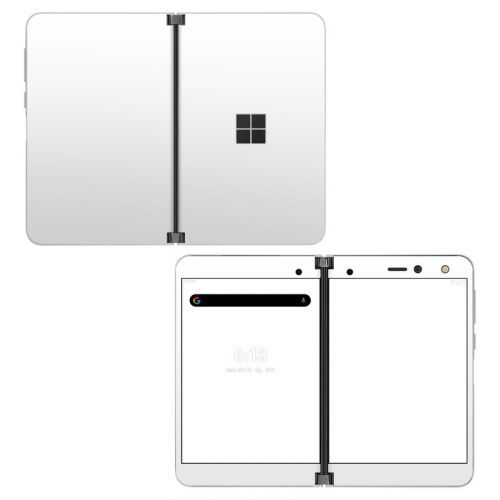
We are sorry to hear that the product was not what you thought it was. The Solid State White Microsoft Surface Duo Skin that you purchased is an adhesive based Skin as described on the product page. This is not a "case". Cases are available for other devices in the Cases category but not for the Surface Duo.
Skins are good for low profile protection without adding any bulk and they look like they're part of the device. If you really need a "case" without losing the styling of the Skin, you can use the Skin underneath a translucent silicone case or clear crystal case.
Skins are especially good for devices such as tablets because these devices are hand held for long periods of time (eg, when reading) and the bulk/weight of cases will make the use of the device more tiring. Skins do not add any bulk and barely any weight. We recommend using a Skin for general scratch protection and styling, and when you want to transport the device, put it in a padded sleeve or bag.
/5Sticker doesn't lay right on the drone and the instructions are terrible.H. Fergen, United States, 1 December 2020iStyles responded:
Thank you for the feedback. Drone Skins such as these Mavic Air 2 Skins are a little more difficult to apply indeed because of the comprehensive Skin coverage and the complexity of the drone surfaces to be covered, but when applied properly, the result will be well worth the effort.
It is important to clean the drone surface properly prior to Skin application as any residue solvents or dirt (and drones can get rather messy from use) will affect the ability of the Skin to stick.
The Skin pieces are positioned on the Skin backing card in the same way that they go on the drone and we do hope to improve the instructions and/or layout to make the process more intuitive. If you require assistance with the positioning of any Skin piece, please reach out to us at [email protected] - we'll be happy to help!
The cut of this Solid State Lime DJI Mavic Air 2 Skin set is correct. Drone Skin sets are cut such that the pieces do not meet or touch the edge to ensure the longitivtiy of the Skin set. These tiny gaps are shown on the product images.
Skins that reach the edges do not stay on for long on drones. Such edges will get caught up as the drone is used (for example, when folded or when inserting/removing from a bag) and are more likely to get lifted. This damages the Skin. Imagine a perfectly fitting Skin with corners/edges that are slightly lifted and has a whole bunch of lint and hair sticking to it.
Our drone Skins are cut as such to ensure that the edges stay on well. It is important to apply the Skin pieces such that the Skin is centered on the surface that they go on, with equal distance/gaps between the Skin and the edges all around. If you're aligning the pieces such that they're flush against one edge, it will result in a huge gap on the other end of the Skin piece. The pieces have to be centered with an equal gap all around, equal distance from the edge all around.
I hope these explanations help. Please let us know at [email protected] if you have any further queries or need assistance.

Customize
